Wi-Fi 7 Routers & Ceiling Access Points: The System Your House Deserves
Nov 23, 2026
Here’s something most people don’t know, and most salespeople won’t tell you:
Even though Wi-Fi 6E is tri-band, Wi-Fi 7 does not mean tri-band.
You’d assume a “Wi-Fi 7 router” packs 2.4GHz, 5GHz, and 6GHz. In reality, tri-band is not a mandatory part of Wi-Fi 7 certification. The only features a router must support to carry the Wi-Fi 7 label are MLO, preamble puncturing, Multi-RU, and WPA3. The 6GHz band, 320MHz channels, and 4096-QAM are all optional.
That’s why budget Wi-Fi 7 routers are shipping as dual-band — 2.4GHz and 5GHz only, with no 6GHz radio at all. They’re still legitimately Wi-Fi 7 certified. They’re just missing the band that makes Wi-Fi 7 worth having.
And it’s not a niche problem. 54.8% of all Wi-Fi 7 access points shipping in 2025 were projected to lack 6GHz support. Both dual-band and tri-band versions get marketed under the same “Wi-Fi 7” banner, with stark performance differences between them.
So when someone says “I bought a Wi-Fi 7 router,” the first question should be: which kind?
Why Tri-Band Is the Whole Point
Wi-Fi launched on 2.4GHz in 1997. The 5GHz band was first standardized in 1999 with 802.11a, but it wasn't until the 802.11n era (finalized in 2009) that dual-band home routers made 5GHz mainstream. Then in 2020, Wi-Fi 6E unlocked the 6GHz band - and that third band is where Wi-Fi 7's real benefits live.
320MHz channels - double the widest Wi-Fi 6 channel, and only available in 6GHz
Cleaner spectrum - 6GHz is far less congested than 2.4GHz and 5GHz
More capacity - more lanes for phones, TVs, laptops, consoles, cameras, doorbells, and smart devices all fighting for air
Some clients have 10+ devices connecting on 6Ghz - freeing up 5Ghz for other devices.
Without 6GHz, you’re paying for a Wi-Fi 7 badge on hardware that can’t deliver Wi-Fi 7’s headline performance. It’s a faster dual-band router. That’s not nothing - but it’s not the system your house deserves.
The 6GHz Catch: It Still Hates Walls
Here’s the bit people miss - and Wi-Fi 7 doesn’t change it.
Wi-Fi 7 does not improve wall penetration. It does not extend range. Those are the words straight from deployment analysis, and they matter.
6GHz is fast, clean, and brilliant - but it has lower penetration through walls than 2.4GHz and 5GHz. High-frequency signals struggle to pass through solid materials, and 320MHz channels can’t punch through the walls in your home.
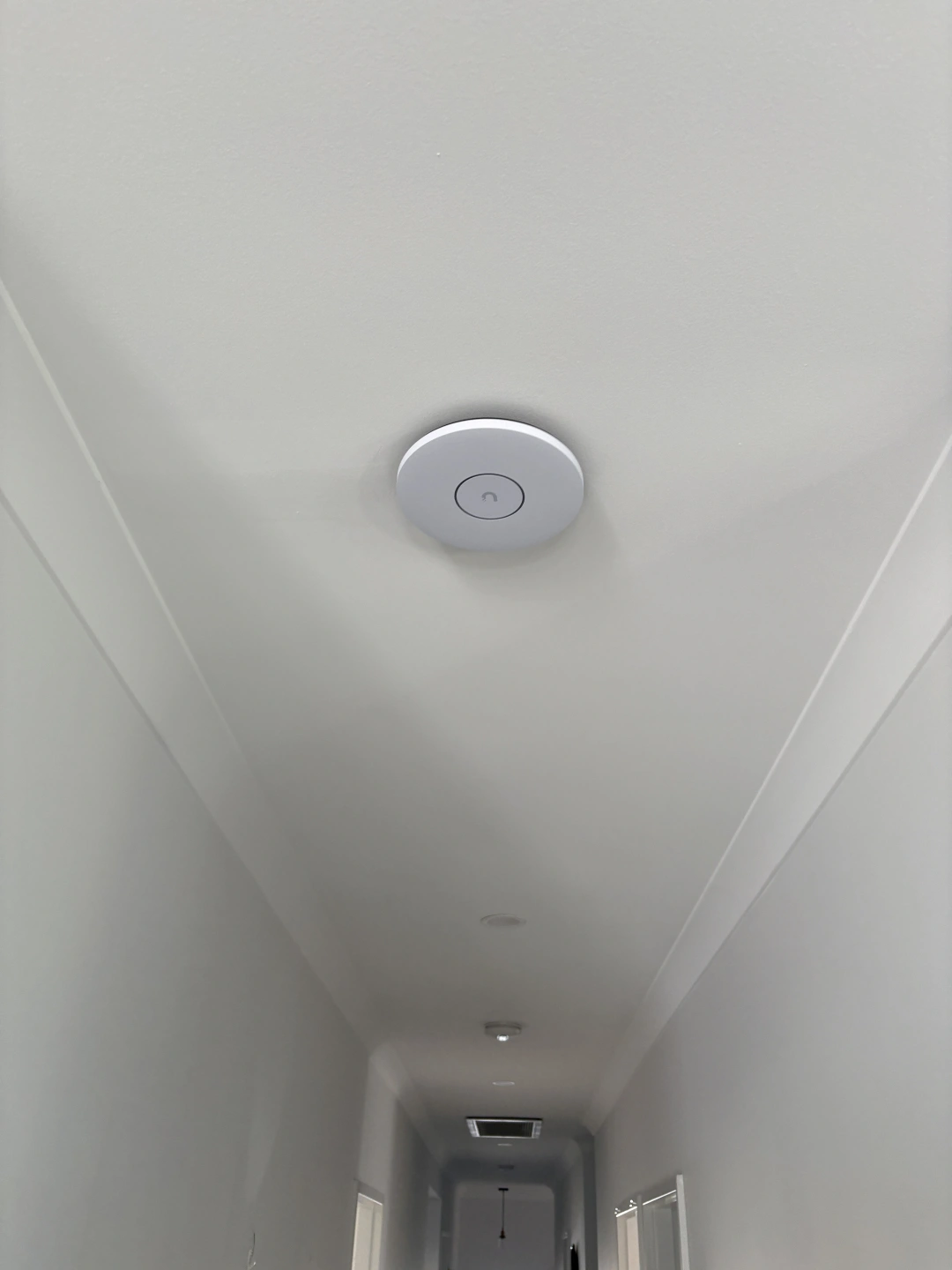
So if you’ve got a tri-band Wi-Fi 7 system and you want that 6GHz performance, the access point needs to be in the right place. Usually that means ceiling-mounted access points in optimal locations - central, unobstructed, and radiating coverage downward and outward.
Put a 6GHz access point in a cupboard at the back of the house and wonder why it’s average? That’s not a Wi-Fi problem. That’s a design problem — and no amount of “Wi-Fi 7” on the box fixes it.
Hardwired Ethernet + PoE: The Backbone Wi-Fi 7 Needs
Wi-Fi 7 access points are powerful - and power-hungry.
Ceiling-mounted Wi-Fi 7 APs typically use PoE+ (802.3at) or PoE++ (802.3bt) to receive both data and power over a single Ethernet cable.
PoE+ is up to 30W, and PoE++ is up to 60W or 90W depending on whether it's Type 3 or Type 4.
That means:
No extra power point needed at the ceiling
Cleaner installs
Better reliability (when installed properly)
Proper performance from every access point
Less clutter, not more
The best wireless network is built on wires. Wi-Fi 7 makes that more true than ever - if your backhaul can’t keep up, your Wi-Fi 7 AP can’t either.
The Missing Piece: A Gateway That Manages Everything
You can buy the best tri-band, Wi-Fi 7, 6GHz, ceiling-mounted APs on the market - but without a gateway to manage them and perform the routing duty, you’re flying blind.
A proper gateway:
Manages all your access points from one place
Handles routing for the whole network
Gives you metrics - what’s actually happening on your Wi-Fi
Firmware updates - important in the current cyber security climate
Shows client counts, signal strength, throughput, errors, and where the problems are
Lets you troubleshoot and optimize instead of guessing
Supports Wi-Fi 7 features like MLO, channel planning, and roaming properly
That’s the deal. Proper design, proper placement, proper backhaul, and a gateway that actually manages the network - with a tri-band Wi-Fi 7 system that actually has 6GHz, not a dual-band badge pretending to be one. That’s how you get Wi-Fi that feels like perfection instead of “yeah, it drops out in the back room.”
What If You Don’t Want to See Anything?
We get it. Some people don’t want tech visible all over the house.
We’ll always try to accommodate people who don’t want to see anything we install. We can look at discreet placement, cable routing, and alternatives.
But we’ll also be honest: ceiling-mounted access points are usually the least obtrusive and best-performing option. They’re up and out of the way, they cover better, and with PoE - they can look genuinely clean.
We’ll work with your preferences. We’ll just tell you straight when a compromise might cost you performance.
Frequently Asked Questions
Why are ceiling-mounted access points better? Because 6GHz has lower wall penetration, and Wi-Fi 7 doesn’t change that. Ceiling mounting puts the AP central and unobstructed, which is how you actually get the performance you’re paying for.
Do I really need a gateway? If you want visibility, control, and proper management of multiple access points - especially with Wi-Fi 7’s added complexity - yes. A gateway handles routing and gives you metrics so you can see what’s actually happening.
Can you hide the equipment? We’ll always try. But we’ll also tell you honestly when discreet placement might reduce performance - particularly for 6GHz.
The Bottom Line
Wi-Fi is friggin’ awesome when it’s done right.
Wi-Fi 7 is the most capable standard yet — but only if it’s actually tri-band, properly placed, hardwired with PoE, and managed by a real gateway. A dual-band Wi-Fi 7 box in a corner is not the system your house deserves.
Most people have nothing close to that. They just don’t know it yet.
If your Wi-Fi is tired, let’s talk.